The key processes that run in the background, 50 times a second
Timing is crucial in a game like the Sentinel. The clockwork inevitability of our robotic overlords is such an essential part of the game's scary nature: the enemies rotate on fixed schedules that wait for no-one, and even when the player is busy scrolling the screen, frantically looking for a way out, the regular chug-chug-chug of enemy rotations happens exactly on time, every single time. Resistance, as they say, is futile.
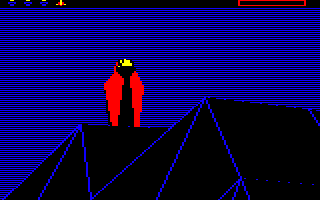
It's therefore no surprise to discover that at the core of this relentless clockwork world is an interrupt handler. Interrupts enable the computer to run code on a fixed schedule, with the interrupt system halting the current task and passing control to the interrupt handler, and that's how the game manages to make its timings so unflinchingly constant.
Let's take a look at how it works.
Setting up the interrupt
------------------------
The Sentinel has just one interrupt handler, IRQHandler, and it is called exactly 50 times a second. The timing for the interrupt is configured in the ConfigureMachine routine when the game first loads (see the deep dive on the entry and setup code for details).
Specifically, ConfigureMachine sets timer 1 in the 6522 User VIA to count down regularly, triggering the interrupt handler routine every time it reaches zero, at which point the timer restarts the whole process repeats. To achieve this repeated loop, the timer is configured so a value of 19,998 gets latched into the timer each time the timer reaches zero; the latching process takes two ticks, so this gives us a total count of 20,000, meaning the interrupt is triggered every time the timer counts down from 20,000 to zero.
The User VIA timer counts down at 1 MHz, or one million times a second, so this means the interrupt is triggered every 0.02 seconds, or exactly 50 times a second. The final step is to point the interrupt vector at IRQ1V to the handler routine, which lives at IRQHandler.
This regular interrupt is used to progress the game counters and manage the screen panning effect, so let's look at that now.
Handling the interrupt
----------------------
The first thing that the IRQHandler routine does is to check whether it is being called as a result of the User VIA timer 1 running down; if it isn't then it terminates and hands the interrupt off to the default interrupt handler. We therefore know that the body of the handler will be run exactly 50 times a second, no more, no less.
The only thing that could get in the way would be a non-maskable interrupt (NMI) which could take precedence over the timer interrupt, but the only sources of NMIs in a BBC Micro are the floppy disc controller, Econet and some 1 MHz bus peripherals, and the Sentinel doesn't use any of these. Indeed, the game code occupies the memory that's used to handle NMIs at &0D00, which is why the NMIHandler exists at that address (this routine contains a single RTI instruction, so any NMIs that do happen to be triggered will have no effect anyway).
Once the interrupt handler has confirmed that this is indeed the User VIA timer 1 interrupt, it does the following:
- Clear the timer 1 interrupt.
- Decrement the sound timer in soundCounter, which is used to control when sound effects should finish (see the deep dive on sound effects for details).
- If a game is not yet in progress (i.e. we are in the main title screen or landscape preview), then we return from the handler at this point, as the game timers aren't needed until the game starts.
- If the Sentinel has won and we are currently showing the game over screen, then call DrawBlackDots to draw 80 random black dots on-screen and return from the handler. This ensures that the screen is faded to black at the same time as the winning object (e.g. the Sentinel) is dithered onto the game over screen by the ShowGameOverScreen routine. This creates the hypnotic effect of the winning entity fading in and out of the screen as the game ends (see the deep dives on program flow of the main title loop and dithering to the screen for more details).
- If the game is paused, call ScanForGameKeys to scan for the pause, unpause and volume keys and return from the handler
- If we get here then the game is in progress, the Sentinel has not won and the game is not paused, so we do the following:
- If scrollCounter is non-zero then we are in the process of scrolling a new portion of the landscape view from the screen buffer onto the screen, as part of a pan, so do the following:
- Call ScrollPlayerView to scroll the screen (using a hardware scroll) and copy data from the screen buffer into screen memory to implement the player's scrolling landscape view. This also decrements scrollCounter, so ScrollPlayerView will end up being called the correct number of times for the landscape pan.
- Call ShowIconBuffer to display the contents of the icon screen buffer by copying it into screen memory, as the scrolling process will have scrolled this part of the screen, so we need to redraw it to prevent the energy icons and scanner from moving.
- If bit 7 of activateSentinel is clear then the Sentinel has been activated and the game is fully started, so do the following:
- Call UpdateEnemyTimers to update the timers that control the enemy tactics (see the deep dive on enemy timers and state variables for details).
- Call UpdateScanner to update the scanner, if required (see the deep dive on the scanner for details).
- If bit 7 of focusOnKeyAction is clear then the game is not currently focusing its effort on implementing a key action such as a landscape pan, so do the following:
- Call CheckForKeyPresses to check for various game key presses and update the key logger (see the deep dive on the key logger for details).
- If the sights are being moved then redraw them.
- If scrollCounter is non-zero then we are in the process of scrolling a new portion of the landscape view from the screen buffer onto the screen, as part of a pan, so do the following:
And that's how the Sentinel keeps accurate, robotic and split-second timing.